

Threat Hunting is one of the final activities to pull out the exact traces of an attack that could have happened or was under progress.
Generally it is done using packet captures of suspicious traffic. Packet capture is also not supposed to be a continuous activity unlike log collection and analysis under SIEM. PCAP files, as packet capture files are known, are of huge size and collection also drains the networking bandwidth. Hence, packets are captured for small duration when required and then analyzed using special tools with an hypothesis.
Threat hunting is generally initiated when all other detection related activities are already performed or their inputs are available such as vulnerability analysis, alert analysis, red teaming etc. These inputs help in creating the right hypothesis.
There area a few good resources online which provide pcap files of known attacks with full analysis. 2 of these which we have referred to are –
- https://www.activecountermeasures.com/category/malware-of-the-day/ – creator of RITA as well as AC-Hunter and many other useful tools for threat hunting
- https://www.malware-traffic-analysis.net/index.html – lots of pcap files with detailed analysis
You can also find many pcap files on github.
Additionally, the tools that are used for threat hunting include –
- ZEEK & RITA: ZEEK comes in 2 flavors, with wrapper and as binary. Dont forget to install binary and add its path to $path variable. The binary allows full control and also lets us create json as log output. The output of ZEEK is analyzed using RITA which gives beaconing details. We can add AC-Hunter community version also for learning purpose to get more details and analysis.
- Splunk: You can learn more on how to use Splunk for Threat Hunting at https://bots.splunk.com/ which requires a user id creation and then has lots of video based tutorials to understand how hypothesis are tested.
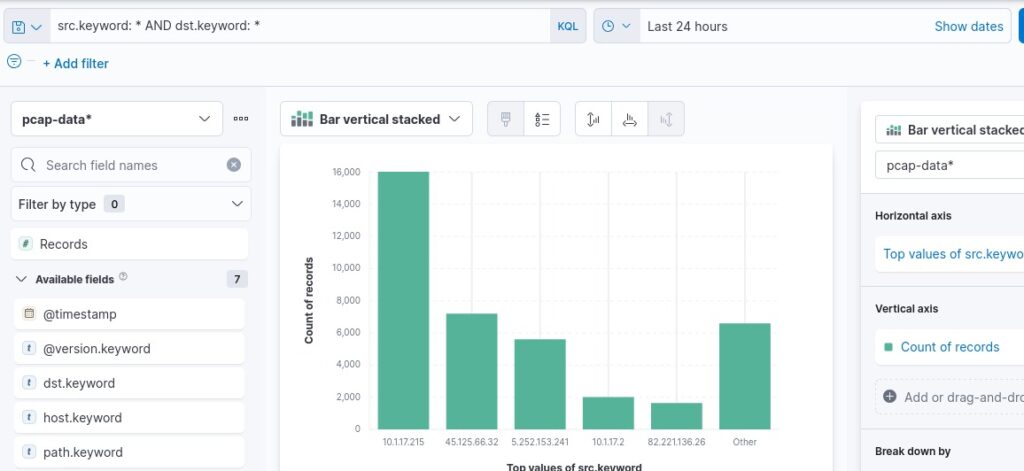
- ELK: pcap files can be converted into json using tshark or tcpdump. The default jason may require some correction and fixing to have each item in single line which is required for logstash. Once Logstash ingests and Elastic creates the index files, we can see the results in Kibana and do further analysis.
To begin with, install ZEEK and RITA on your Kali Linux, download a few pcap files and start analyzing. That’s the best way to learn it step by step.


Comments are closed.